
------------------------------------------------------------------------------------------------------------------------------------------
CAUTION: The tasks in this section should be performed by advanced operators.
------------------------------------------------------------------------------------------------------------------------------------------
Only for maintenance or service login.
The calibration is performed to make sure the picking position is known by the robot system. It should be performed every time the picking position and robot arm have been moved in relation to each other.
Perform calibration to let the robot system know the picking point position. A specific calibration tool and plate is used. Use the calibration tool to dot three positions on the calibration plate. The coordinates are stored in the PLC.
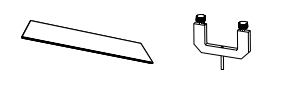
Calibration tool kit; calibration plate for conveyor and tool for gripper.
Follow the safety precautions specified in the list:
------------------------------------------------------------------------------------------------------------------------------------------
NOTE: The list of safety precautions for calibration do not hinder additional safety measures.
------------------------------------------------------------------------------------------------------------------------------------------
• Clear the workspace of all personnel not participating in the calibration process.
• The calibration tools are not allowed to be mounted during normal operation.
• Reduce robot speed.
• Only FlexLink calibration tools for the specific machine are allowed to be used.
------------------------------------------------------------------------------------------------------------------------------------------
NOTE: Keep the safety system intact during the calibration process to avoid interruptions.
------------------------------------------------------------------------------------------------------------------------------------------
CAUTION: Keep extra attention to the gripper safety shroud when using the calibration tools. If the shroud falls the robot will not move in manual mode.
------------------------------------------------------------------------------------------------------------------------------------------
The optimal picking position is when the boxes are aligned against the sliding surface before reaching the end stop surface. This alignment surface is the surface closest to the robot for side way approach.
Calibration procedure:
1. Stop the robot program by the normal stop procedure (page 53 - RC12 user manual).
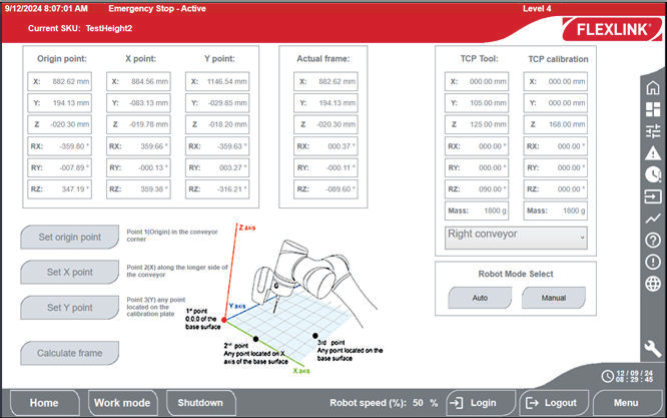
2. Go to the Adjustment tab on the HMI display and tap Calibration. (see illustration)
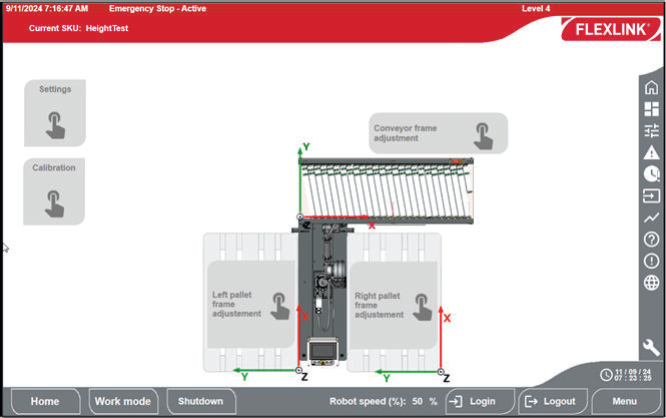
3. Choose your conveyor position from the list.
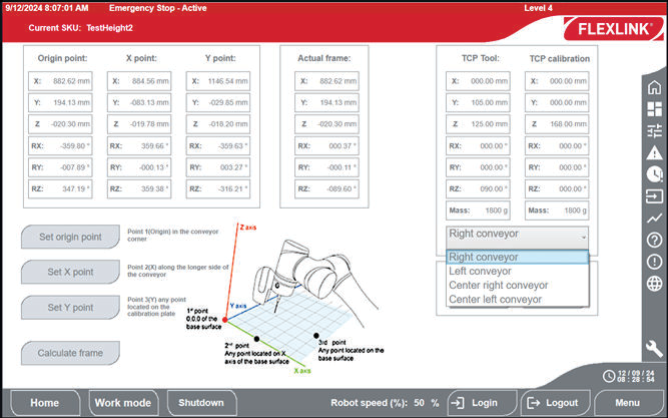
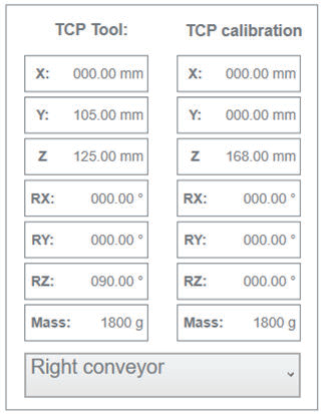
4. Set TCP calibration values.
5. Tap on Manual in Robot mode select.
------------------------------------------------------------------------------------------------------------------------------------------
NOTE: The robot arm LED turns green.
To have the robot arm in manual mode allows to move the arm manually and be able to have the arm in an ergonomic position for the calibration tool mounting.
------------------------------------------------------------------------------------------------------------------------------------------
6. Unscrew the knobs from the calibration tool.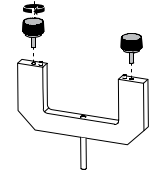
7. Mount the calibration tool with the pins in the designated holes in the mounting plate..
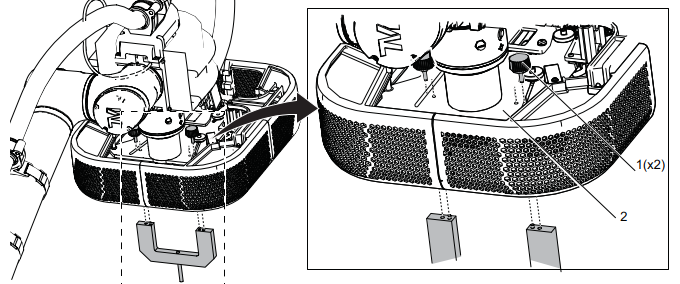
8. Insert and tighten the calibration tool knobs (1) from above the mounting plate (2).
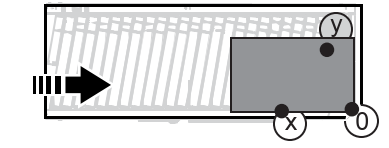
9. Place the calibration plate on the intended pick point area at the conveyor.
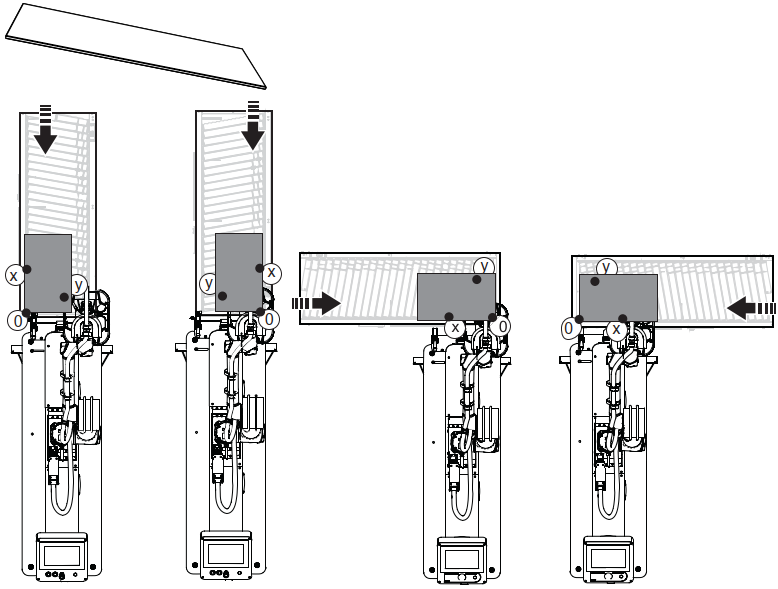
Figure: Center left, Center right, Left, Right
10. Tap and hold FREE to hold the robot arm and let the calibration tool tip touch the calibration plate in
conveyor "0" position.
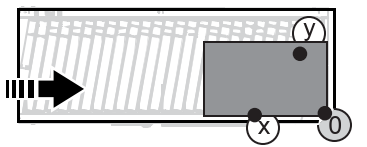
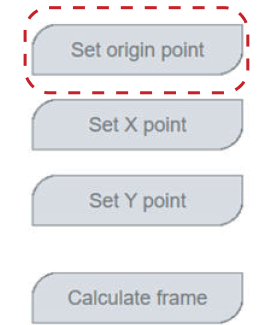
11. Tap the Set origin point.
12. Tap and hold FREE to hold the robot arm and let the calibration tool tip touch the calibration plate in
conveyor "X" position.
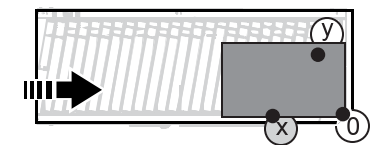
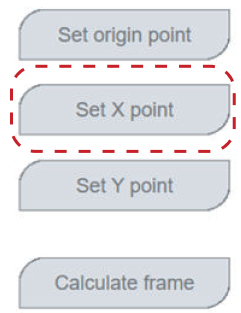
13. Tap Set X point.
14. Tap and hold FREE to hold the robot arm and let the calibration tool tip touch the calibration plate in
conveyor "Y" position.
15. Tap Set Y point.
16. Tap and hold FREE to hold the robot arm and position the calibration tool a few centimeters above
the conveyor.
17. Tap Calculate frame.
18. Remove the calibration tool and plate.
19. Go to Robot mode select and tap auto to set the robot arm in Auto mode.
------------------------------------------------------------------------------------------------------------------------------------------
NOTE: The robot arm LED turns white.
------------------------------------------------------------------------------------------------------------------------------------------